



Hello, everyone.
This is Enta.
I was out at a job site the other day. It was a plant.
It really takes a toll on my body...
My joints are screaming in pain.
It's weaker than it looks, lol.
But that's beside the point.
I think I'll try writing some tips on how to prepare documents.
Actually, when it comes to preparing documents, I...I'm pretty confident.
I have worked as a construction manager for over 10 years and have prepared documentation for hundreds of construction sites, both as a general contractor and as a first-tier subcontractor.
I ended up learning about five different CAD programs as I adapted to the needs of the general contractors I worked with. (This was because CAD programs were often incompatible with each other back then.)
Lately, I've even picked up 3D CAD as a hobby, lol.
We can also use about four different types of electronic filing software.
In particular, I’ve created this with a strong focus on meeting the government agency’s criteria.
Naturally, being mindful of scores means that site management itself will also be conducted with scores in mind.
So, when it comes to how to score well, there are significant regional differences, so
While I can't make any blanket statements, I hope to share some tips on how to speed up the paperwork process as I go along.
When I’m organizing my papers, the very first thing I do is,Here's a brief summary of the daily construction report.
The reason for this is to finalize the installation date.
I suspect there are other dates on which photos were taken as well, and when it comes to materials and other details, the dates are unclear, so
I'm gonna get called out on this during the final inspection later, lol
After that, I'll finish organizing all my photos for now.
These days, electronic submission software is quite convenient, so organizing the photos alone takes about a day—or at most two days.
Furthermore, since the as-built photos are linked to the as-built control chart, the as-built inspection is considered complete once the as-built photos are finalized.
What a groundbreaking system, lol
Just think how much time this system will save!
Similarly, with quality control, there are aspects that can be handled alongside photo organization and others that cannot.
For the parts I can't do, I just add them later or something.
The key to organizing these photos is to categorize them into a tree structure for each type of work—including as-built photos, quality control photos, and site condition photos.
For example, if you were a formwork worker using the on-site spray method,
How to divide a tree
In the case of situational photos
Shingle Installer
Framework (Assembly and Spray Application are in the same folder)
...and divide them into two folders.
Select all the photos of the assembly process at once and name the folder "Assembly Process."
For photos taken after that which include survey points, add the survey points to them.
Doing so will drastically reduce the time spent typing on the keyboard.
The key to using electronic filing software is to select and enter the same characters all at once, in a single step, whenever possible.
The same survey points and other items appear repeatedly.
It takes a long time to type that out while looking at the blackboard each time.

So, I use a program called "Clibor."
This feature can store up to 1,000 entries from your copy history.
Type something like "No. 10+5" once, then copy it. Use the keyboard shortcut Ctrl+C to copy.
When the blackboard in the same location appears, click on the Goomba and select "No. 10 + 5" as you did earlier.
Return to the screen and press Ctrl+V to paste.
This will significantly reduce the amount of typing I have to do. Plus, as long as I don't make any mistakes, the data will be accurate!
Hey, Sensei!(Kuribo Site)
I try to type as little as possible!
Here's the trick to electronic filing lol
See you later.





I always enjoy reading your posts.
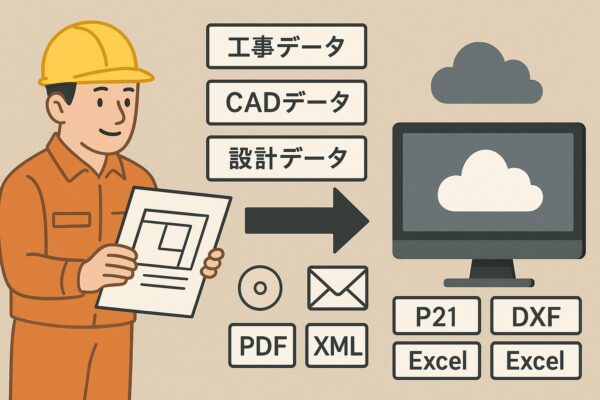
I have a question: When converting CAD file extensions, I'm having trouble because the characters get garbled or something. Is there any good software for this?
Thank you as always.
If you're looking for free software to convert CAD file extensions, I think JW-CAD is the best option.
However, there are some formats that work and others that don't.
There's a paid software called ProTRANS that's considered the best.
It's quite expensive, but there are almost no issues with garbled characters or the like.
(Since I just need to be able to convert files using the CAD software I'm already familiar with, rather than buying a new one and learning it from scratch,
(When you think about it that way, it's cheap.)
It supports SXF, P21, SFC, and others, right?
I used it myself, and I was able to submit my tax return electronically.
I've stopped using it because I've been using CALSTOOL for AutoCAD lately.
I guess nothing beats the paid version, after all...
ProTRANS