

What You Can Do When You Register
By registering for a free membership, you can “submit articles on the site” and “subscribe to the blog via email,” as described below.
- ・Posting blog articles
- ・Registration in the List of Contractors by Prefecture
- ・Entering information that trainees need to learn
- ・Entering examples of failures and successes
*Please note that reposting content from other sites—including articles and images—is strictly prohibited.
About Free Membership Registration
You can register for free. (What You Can Do When You Register) Please see below for instructions on how to register as a member.How to Sign Up for a Free Membership and Log In to the Site
1.Free Membership Registration FormEnter the required information and click the [Register] button.
2. You will receive a free membership registration email titled “[New Entertainment’s Slope Management School] Login Details.” Open the URL provided in the email. If you haven't received the email, please check your spam folder. If you still haven't received it, please double-check your email address and re-enter it.
3. Enter your "User ID" and "Password," then click [Login].
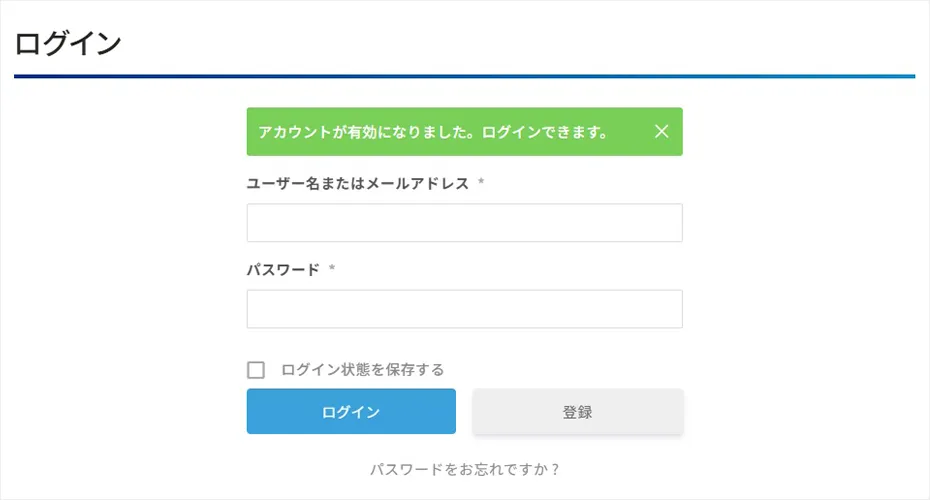
4. I logged in as a free member on the Enta Slope Management School website. Your registered email address will be displayed along with the page title "Login."
How to Post an Article After Logging In
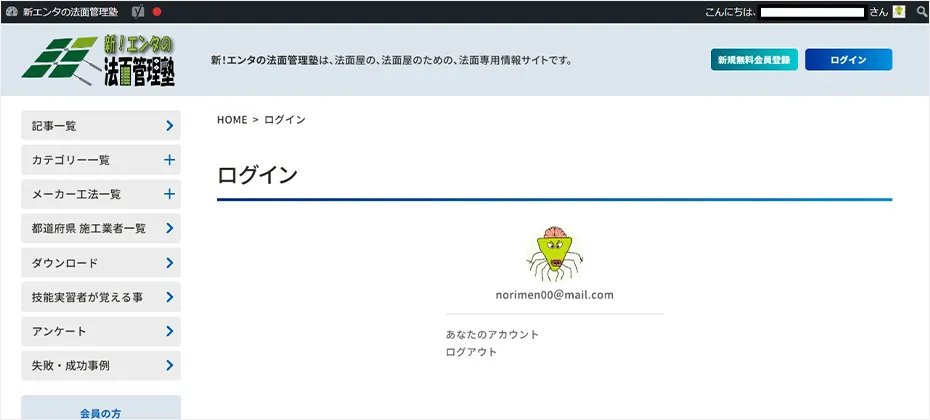
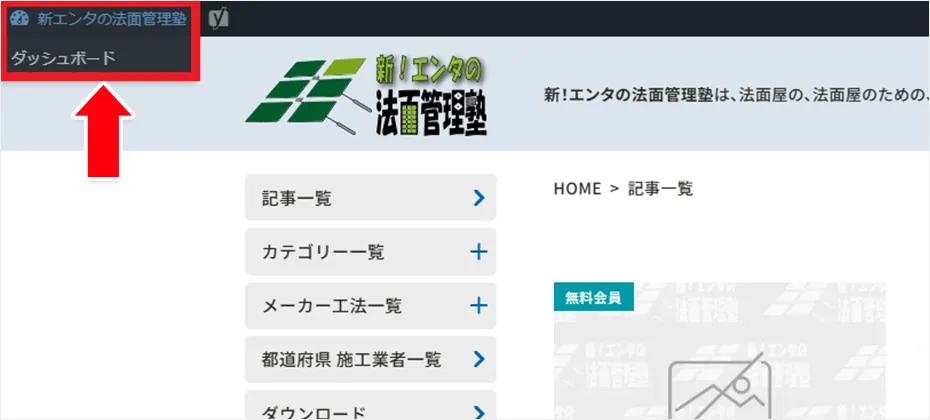
1. Click either the site name “Shin-Enta’s Slope Management School” in the upper-left corner of the screen or the “Dashboard” displayed below it.
2. The screen will switch to the admin panel. The menu is located on the far left of the screen. You can add new entries or make changes by selecting the appropriate item. *You can post and edit “Blog Posts” from the [Posts] section, and “List of Contractors by Prefecture” from the [Contractors] section.
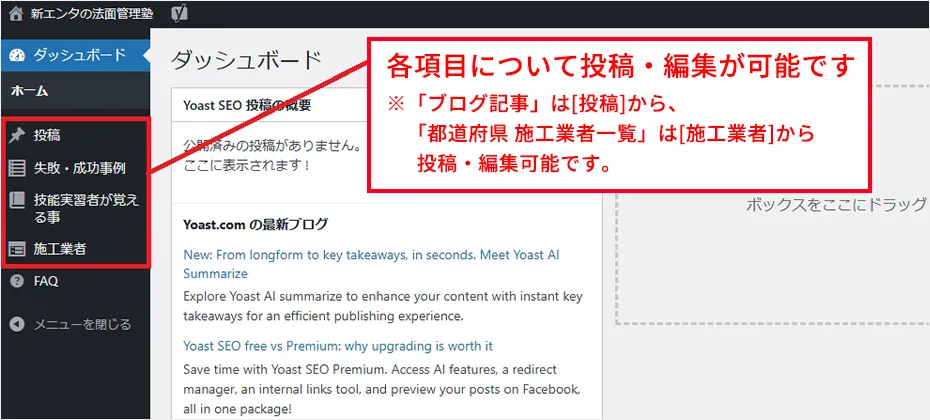
Instructions for Each Item
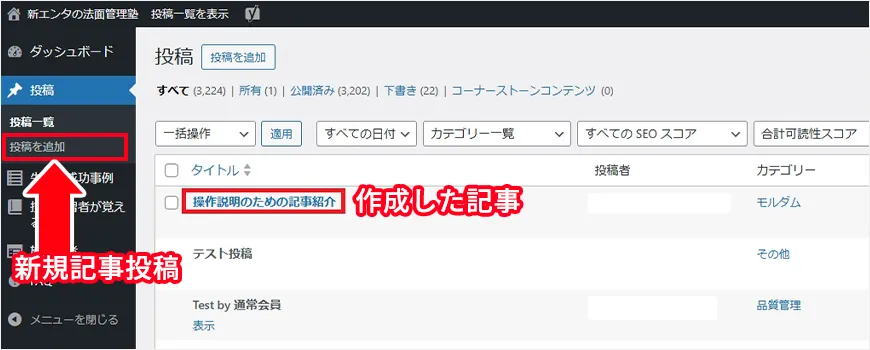
① Posting “Blog Posts” To post or edit a "blog post," click [Post].
Click [Post List] to view all posts. You can only edit or delete posts that you have created.
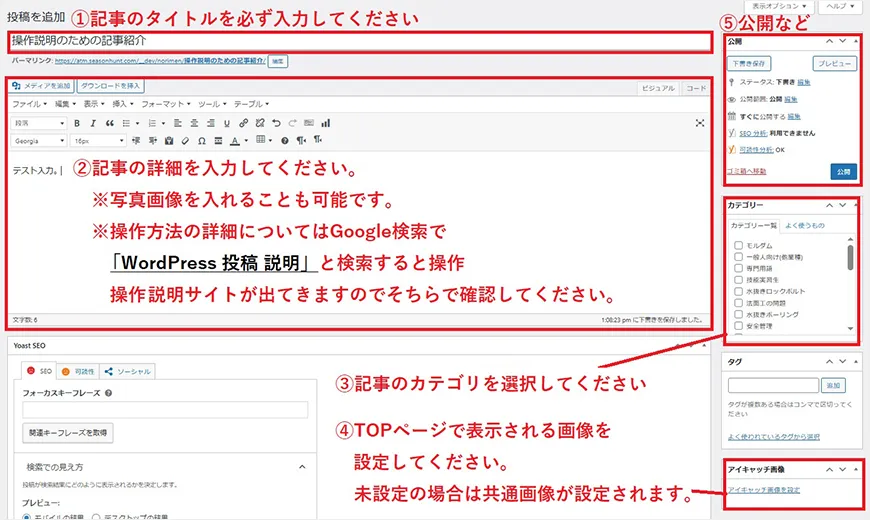
Click [Add Post] to publish a new post.
② Regarding Posts in the [Success and Failure Stories] Section Click [List of Success and Failure Cases] to view all articles. You can only edit or delete articles that you have created.
Click [Add Success/Failure Examples] to post a new article. Basic operations are[Add Post] in ①It's the same as that. If you're unsure how to proceed, try searching for "WordPress post instructions" on Google or a similar search engine; you'll find websites with instructions, so please check those for guidance.
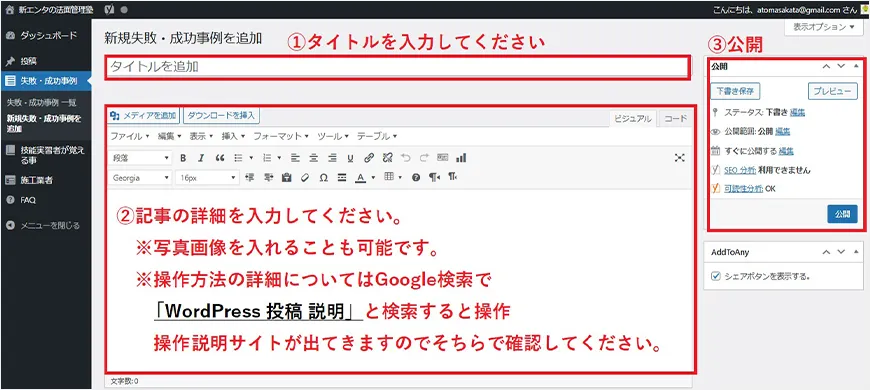
③ Regarding the post titled “[Things Technical Interns Should Learn]” Click [List of Things Technical Interns Should Know] to view all articles. You can only edit or delete articles that you have created.
Click [Add Things for New Technical Interns to Learn] to post a new article. The input formats for ① and ② are different. However, the basic operations are the same as for ① and ②. Please enter the appropriate information for each field.
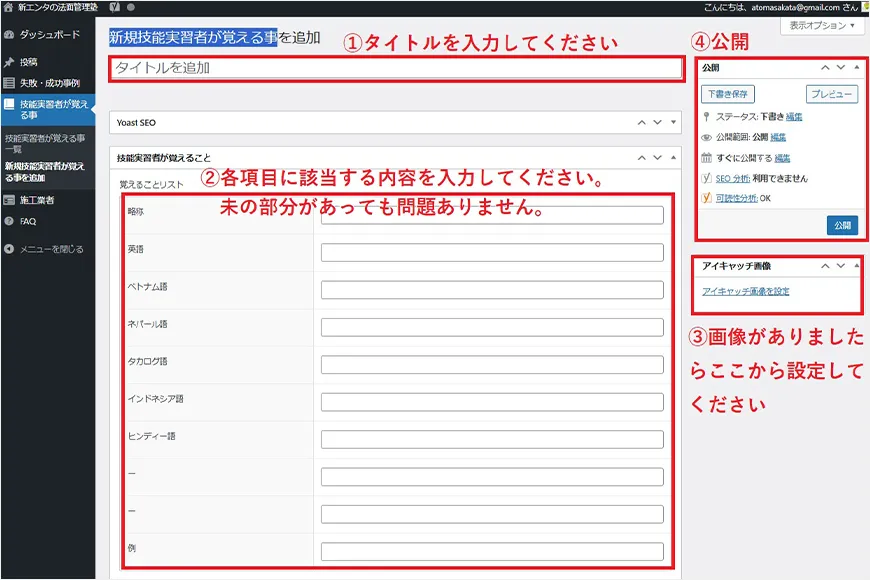
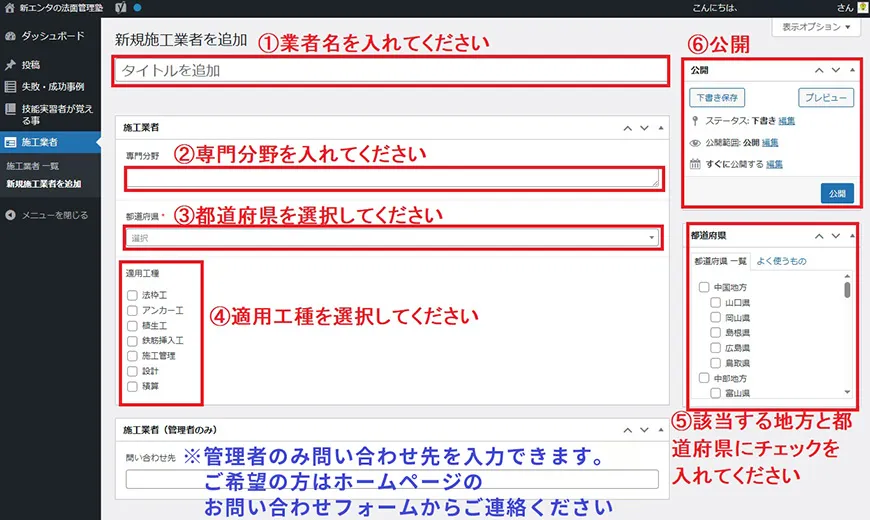
④ Regarding posts in the [List of Contractors by Prefecture] To post or edit the “List of Contractors by Prefecture,” click [Contractors].
Click [List of Contractors] to view all articles. You can only edit or delete articles that you have created.
Click [Add New Contractor] to post a new article. The input formats for ① and ② are different. However, the basic steps are the same as for ① and ②. Please enter the appropriate information for each field.
Terms of Service for Free Membership Registration
Be sure to review the “Free Membership Terms and Conditions (PDF)” before registering for a free membership.

Free Membership Registration Form
- *Important Notes for Registration*
- ・Please be careful not to enter your email address incorrectly.
- ・Each password must contain at least one lowercase letter, one uppercase letter, and one number. Additionally, since simple passwords are likely to result in an error when you try to log in after registration, please set a strong password.
- ・After registering, you will receive an activation email at the email address you provided. Please click the “Activate your Account” button in the email to activate your account.
- ・If you receive an email from “Jetpack” after registering, you will need to reset your password and will be unable to log in, so be sure to set a strong password.